full guide

Level 1

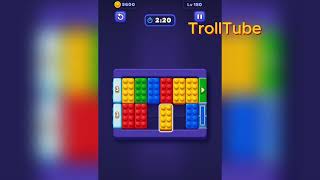
Block Out Level 1 is a three-square rotation puzzle. Move black left, lift white into the upper-right corner, slide red aside, and then let white, black, and red leave in that order.

easy

ios / android · current iOS and Android catalog checked 2026-08-03

Red White Black

Confirm these board landmarks

Block Out Level 1 is a three-square rotation puzzle. Move black left, lift white into the upper-right corner, slide red aside, and then let white, black, and red leave in that order.

  • Block Out Level 1 is a three-square rotation puzzle.
  • Move black left, lift white into the upper-right corner, slide red aside, and then let white, black, and red leave in that order.
  • The board mixes Red, White, Black and more.
  • The opening layout is a color-sort grid.
  • Clear matched tiles to finish the level.
Compare with the documented source board

My board is different Compare with source
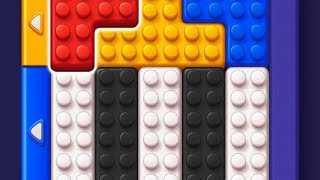
Video walkthrough

Quick tips

  1. Use the upper-right corner as white's parking space.
  2. Do not send red upward until white has already crossed left.
  3. If the board feels stuck, look for the color with the cleanest path and use that to regain space.

Step-by-step solution

Step-by-step solution

  1. 1

    Move 1

    Slide the black square left so it sits directly under the red top gate.

  2. 2

    Move 2

    Lift the white square into the upper-right corner.

  3. 3

    Move 3

    Push the red square right into the middle-right lane.

  4. 4

    Move 4

    Drop the black square down the left side until it reaches the lower lane.

  5. 5

    Move 5

    Move the white square across the top and feed it out through the white gate on the left wall.

  6. 6

    Move 6

    Slide the black square right onto the black bottom gate.

  7. 7

    Move 7

    Finish by moving the red square left under the red gate and sending it up.

Common failure points

Trying to raise the red square before the white square has crossed the top row.

Leaving black in the upper-right corner instead of using it to open the left column.

Sources

Sources

Verification status: source verified. Solutions are matched to the source board before publication.

FAQ

Why might my Level 1 board look different?

Game version, platform or staged rollout differences can change a board layout.

Should I use a booster?

This Variant records booster use as unknown. Match the board before treating that note as applicable.