full guide

Level 51

Block Out Level 51 is built around two stacked red bars on the left and a cramped parking lot on the lower-right. Open the right-side vertical slot first, then use that freed lane to rotate the cyan bar, yellow trays, and finally the red...

medium

ios / android Β· current iOS and Android catalog checked 2026-08-03

Red Green Blue Purple Yellow Cyan White

Confirm these board landmarks

Block Out Level 51 is built around two stacked red bars on the left and a cramped parking lot on the lower-right. Open the right-side vertical slot first, then use that freed lane to rotate the cyan bar, yellow trays, and finally the red bars without trapping the purple columns.

  • Block Out Level 51 is built around two stacked red bars on the left and a cramped parking lot on the lower-right.
  • Open the right-side vertical slot first, then use that freed lane to rotate the cyan bar, yellow trays, and finally the red bars without trapping the purple columns.
  • The board mixes Red, Green, Blue and more.
  • The opening layout is a color-sort grid.
  • Clear matched tiles to finish the level.
Compare with the documented source board

My board is different Compare with source
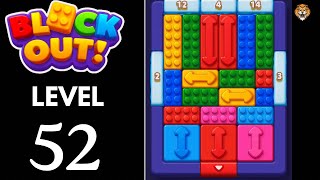
Video walkthrough

Quick tips

  1. If the right-side blue pillar is still pinned to the wall, the left stack is not ready yet.
  2. Keep the purple columns for late cleanup so the right slot stays organized while the red bars rotate.
  3. If the board feels stuck, look for the color with the cleanest path and use that to regain space.

Step-by-step solution

Step-by-step solution

  1. 1

    Move 1

    Open the lower-right parking lot by shifting the tall red pillar and the blue pillar beside the right wall.

  2. 2

    Move 2

    Use that new slot to shorten the cyan center bar and let the lower-left green strip breathe.

  3. 3

    Move 3

    Start clearing the stacked red bars on the left only after the right-side slot can accept returning pieces.

  4. 4

    Move 4

    Feed the yellow trays through the middle once the first red bar has moved and the cyan lane is shorter.

  5. 5

    Move 5

    Leave the two purple columns for late cleanup so they keep the right side organized while the left stack rotates.

  6. 6

    Move 6

    Finish with the last yellow tray and blue right-wall piece after the center lane is empty.

Common failure points

Trying to cash both left-side red bars before the right-side parking lot is open.

Using the purple columns too early and losing the slot that the cyan bar and yellow trays still need.

Sources

Sources

Verification status: source verified. Solutions are matched to the source board before publication.

FAQ

Why might my Level 51 board look different?

Game version, platform or staged rollout differences can change a board layout.

Should I use a booster?

This Variant records booster use as unknown. Match the board before treating that note as applicable.